GSPro vs E6 Connect: Which Sim Software Wins?
GSPro vs E6 Connect compared for home golf simulators: courses, online leagues, realism, launch monitor compatibility, and pricing. See which software fits your build.
For most home golf simulator builds, GSPro is the better pick in 2026: it costs about $250 per year, the community has published thousands of free courses, and its online leagues are the most active in the amateur scene. Choose E6 Connect instead if you want officially licensed, consistently polished courses, simpler setup, and broad compatibility with budget and mid-range launch monitors. The honest tiebreaker is usually your launch monitor, because not every device talks to both platforms. Here is how the two leading sim software platforms compare on the things that actually change your experience.
Gear to run your sim software
A gaming laptop, a mini PC for a built-in bay, and a launch monitor to feed either platform.
-
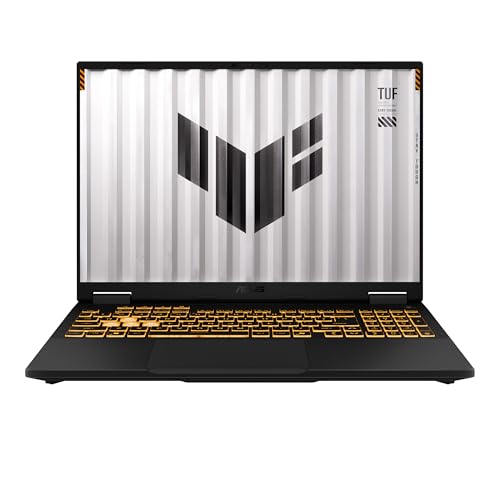 Value Laptop ASUS TUF Gaming F16 (RTX 5050, 16GB)
Durable 16-inch gaming laptop with an RTX 5050 and 16GB of RAM that runs GSPro or E6 Connect at solid settings without breaking the bank.
-
 Premium Laptop Lenovo Legion 5i Gaming Laptop (RTX 5070, OLED)
RTX 5070 and a Core i7 with the muscle to push GSPro at high detail and send clean 4K output to a projector.
-
 Mini PC MINISFORUM G1 Pro Gaming Mini PC (RTX 5060, Ryzen 9)
Compact RTX 5060 mini PC that hides inside an enclosure, ideal for a permanent bay running either sim platform.
-
 Launch Monitor Garmin Approach R10 Portable Golf Launch Monitor
Budget radar that feeds ball and club data to E6 Connect natively and to GSPro through a connector app.
Prices update on Amazon and change often. As an Amazon Associate we earn from qualifying purchases at no extra cost to you.
The verdict up front
GSPro and E6 Connect are the two software platforms most serious home builders compare, and they aim at slightly different golfers. GSPro is the enthusiast favorite: open, community-driven, competitive, and cheap relative to what you get. E6 Connect is the refined, commercial-grade option that ships with licensed courses and a more guided setup, which is why you see it in retail bays and entry bundles. Neither is objectively wrong. Match the platform to your launch monitor, your budget, and whether you care more about course quantity or course polish.
Quick comparison
| Factor | GSPro | E6 Connect |
|---|---|---|
| Pricing model | ~$250/year flat subscription | Tiered license, ~$300 to $1,000+ |
| Course library | Thousands of free community courses | Smaller set of licensed, polished courses |
| Online play and leagues | Very active (GSPro Tour, leagues) | Supported, common in venues |
| Visual realism | Excellent at high settings | Clean and consistent |
| Launch monitor support | Growing list, some need a connector | Broad, including many budget units |
| Hardware demand | Higher, wants a gaming GPU | More forgiving |
| Setup difficulty | Moderate, more tinkering | Easier, more guided |
Pricing on both platforms changes and is often bundled with hardware, so treat these figures as a 2026 snapshot and confirm current terms before you commit.
Courses: quantity vs polish
This is the clearest difference between the two. GSPro leans on its community: independent designers have recreated thousands of real and fictional courses, from major championship venues to obscure local tracks, and you download them free inside the app. The range is staggering, and new courses appear constantly. Quality varies because the work is volunteer-driven, but the best community courses are genuinely stunning and the catalog dwarfs anything a single studio could license.
E6 Connect takes the opposite approach. Its courses are officially licensed and professionally rendered, so the visual quality and accuracy are consistent across the library. The trade-off is quantity and cost: you get a curated set rather than thousands of options, and richer libraries sit behind higher license tiers. If you want to load up dozens of world-famous courses without thinking about it, GSPro is the value champion. If you want every course to look uniformly finished and properly licensed, E6 has the edge.
Online play, leagues, and competition
Both platforms support online multiplayer, but GSPro has built the larger amateur competitive ecosystem. The GSPro Tour and numerous community leagues let you post rounds, climb leaderboards, and compete against players worldwide, which is a major reason competitive home golfers gravitate to it. E6 Connect also supports online rounds and is widely used for operator-run leagues in commercial venues, so it is far from a slouch. For an at-home player who wants organized, ongoing competition without a venue, GSPro currently offers the deeper bench.
Realism and graphics
Visually, GSPro is gorgeous when you feed it the hardware it wants. Lighting, turf detail, and ball flight rendering look excellent at high settings, but that polish demands a capable gaming graphics card. E6 Connect renders cleanly and consistently and is more forgiving of modest hardware, even running on some tablets and consoles depending on version. Shot accuracy in both platforms ultimately depends far more on your launch monitor than on the software, since the simulator only draws what your monitor measures. Better data in means better realism out, regardless of which app you run.
Launch monitor compatibility (the real tiebreaker)
This decides more builds than anything else. GSPro supports a growing roster including SkyTrak, Bushnell Launch Pro, FlightScope Mevo+, Uneekor, and the Garmin Approach R10 through a connector app, but support is added over time and some devices need a paid bridge utility. E6 Connect supports a broad list as well, including many budget and mid-range units, and is sometimes the only fully supported option for entry monitors. Before you buy either the software or the monitor, check each platform's current published compatibility list against your exact device. Our best golf simulator software guide walks through which monitors pair cleanly with each platform.
Pricing breakdown
GSPro keeps it simple: roughly $250 per year, flat, with no per-course charges because the community library is free. That predictability and the free courses make it the value leader for most home users. E6 Connect uses tiered licensing, frequently bundled with a launch monitor at purchase, and pricing ranges from about $300 for a basic package to $1,000 or more for the full course library and online features. If you already own a compatible monitor and want the lowest ongoing cost, GSPro usually wins. If E6 came bundled with your hardware, the math may favor staying in that ecosystem.
Who should pick which
Choose GSPro if you
- Want the largest course library at the lowest ongoing price.
- Plan to play in online leagues or the GSPro Tour.
- Own or will buy a supported monitor like SkyTrak, Launch Pro, Mevo+, or R10.
- Have or will build a capable gaming PC and enjoy tinkering with settings.
Choose E6 Connect if you
- Prefer officially licensed, consistently polished courses.
- Want an easier, more guided setup with less troubleshooting.
- Have a budget monitor that E6 supports more fully than GSPro.
- Got E6 bundled with your launch monitor and want a turnkey experience.
Honest tradeoffs
GSPro asks more of you. You will spend time downloading courses, configuring a connector for some monitors, and ideally running it on a dedicated gaming PC, which adds cost if you do not already own one. In return you get unmatched course variety, vibrant competition, and the best value. E6 Connect costs more for fewer courses and a less active amateur league scene, but it rewards you with simplicity, licensed polish, and broader entry-monitor support. Neither locks you in forever, and many enthusiasts eventually run both. Start with whichever matches your launch monitor and budget, then add the other later if you catch the bug.
Whichever you choose, the software is only as good as the computer driving it. GSPro in particular benefits from a strong graphics card, so review our best golf simulator computers picks before you commit, and confirm your launch monitor against each platform's current compatibility list.
Golf Sim Build Planner
Room-fit worksheet, gear checklist, budget tracker, and wiring and lighting plan, in one printable planner that takes your build from idea to first swing.
We also have full reviews of each: MINISFORUM G1 Pro review and Uneekor Eye MINI LITE review.
Frequently Asked Questions
Is GSPro or E6 Connect better for a home golf simulator?
For most enthusiasts building a home bay, GSPro is the better value and the more popular choice in 2026 because its subscription is affordable and its community has built thousands of free courses. E6 Connect is the stronger pick if you want a polished, officially licensed course library, simpler setup, and broad compatibility with budget launch monitors. Your launch monitor often decides it, since not every device supports GSPro.
How much does GSPro cost compared to E6 Connect?
GSPro runs on a flat annual subscription of about $250 per year, with no per-course charges because the community course library is free to download. E6 Connect is sold through tiered licenses, often bundled with a launch monitor, and pricing ranges widely from roughly $300 for a basic package up to $1,000 or more for the full course library and online play. Always confirm current pricing, since both change.
Does GSPro work with the Garmin R10 or SkyTrak?
GSPro supports a growing list of launch monitors, including SkyTrak, Bushnell Launch Pro, FlightScope Mevo+, Uneekor, and the Garmin Approach R10 through a connector app. Always check the current GSPro compatibility list before buying, since support is added over time and some devices need a paid bridge utility. E6 Connect supports a slightly different roster, so verify your specific monitor against each platform's published list.
Which platform has more golf courses?
GSPro has far more total courses because its community designers have published several thousand free recreations of famous and local courses, all downloadable inside the app. E6 Connect offers a smaller library of officially licensed, professionally rendered courses that you buy or unlock through your license tier. So GSPro wins on raw quantity and price, while E6 wins on consistent, license-backed polish.
Can I play online with friends and join leagues?
Yes on both. GSPro has an active online community with leagues, tournaments, and the GSPro Tour, which is a big reason competitive players choose it. E6 Connect also supports online multiplayer and operator-run leagues, and it is common in commercial venues. If organized online competition matters most to you, GSPro currently has the larger and more active amateur league scene.
Do I need a powerful computer to run GSPro or E6 Connect?
GSPro is the more demanding of the two and benefits from a dedicated gaming graphics card for smooth, sharp visuals. E6 Connect scales a bit better to modest hardware and even runs on some tablets and consoles depending on the version. If you plan to run GSPro at high settings, budget for a capable PC, which we cover in our simulator computers guide.
Building a golf sim?
Use our free calculators and guides to size the room, the gear, and the budget.
Build Planner: $39